The short version: a buyer with a good address sees nothing. No banner, no badge, no “your address is fine.” The card only renders when there’s something worth saying, which keeps the prompt meaningful on the rare order that needs it.
Here is each state, in the order your buyers will meet them.
A verified address: nothing
When the address checks out, the thank-you page looks exactly like it would without Address Verifier installed. We don’t decorate a page that doesn’t need attention.
A correctable address: one card, fix included
When verification finds a fixable problem, the buyer sees a card headed “Check your delivery address.” It explains what changed in plain words, then shows the verified suggestion and the address they entered side by side, with the suggestion preselected and the changed lines in bold.
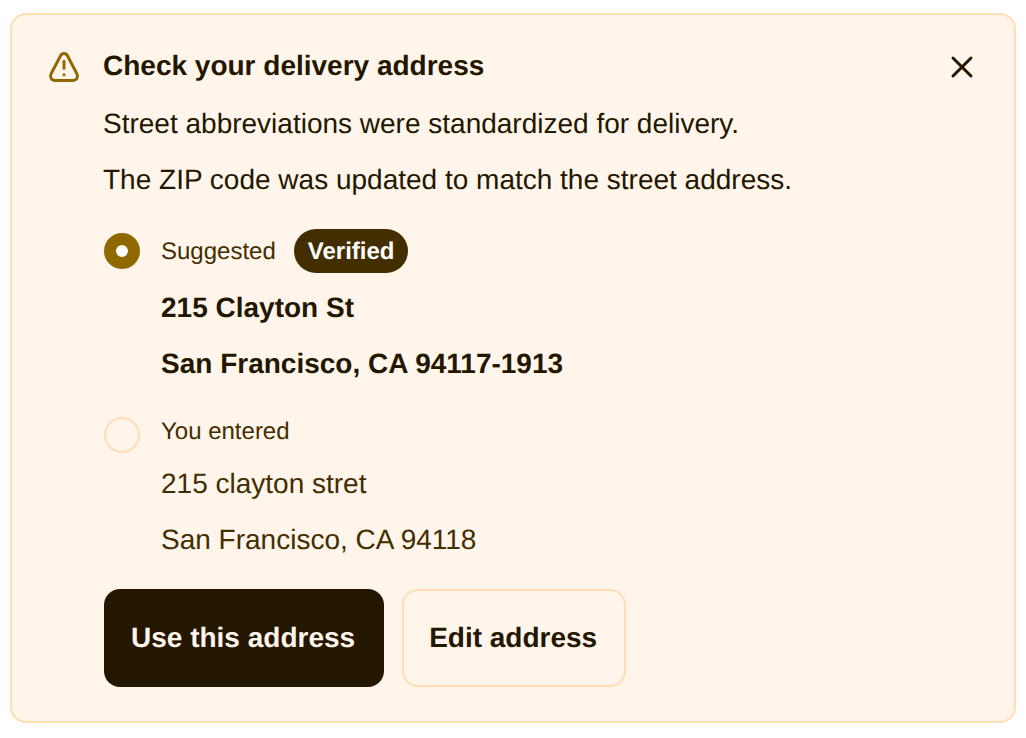
From here the buyer can:
- Apply the fix. With the suggestion selected, one tap on “Use this address” updates the order. It gets tagged
address-correctedand the card confirms: “Address updated. Your order will ship to the updated address.” - Keep what they typed. Selecting “You entered” keeps the order exactly as entered. It keeps its
address-unverifiedtag so you can review it, and the buyer is never asked again, on any page. Closing the card does the same. - Edit it themselves. “Edit address” opens a small form, and the edit is verified the same way before it lands on the order.
A missing apartment or unit number
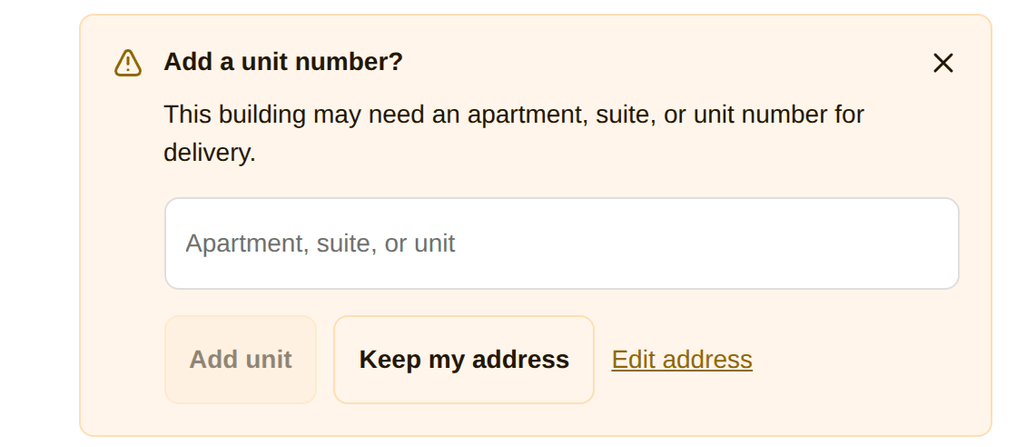
A valid street address that probably needs a unit number gets a lighter card: “Add a unit number?” with a single field. There is no fabricated suggestion, because carrier data can tell us the building needs a unit but not which one. The buyer adds it or dismisses it.
A formatting fix: applied automatically, with an undo
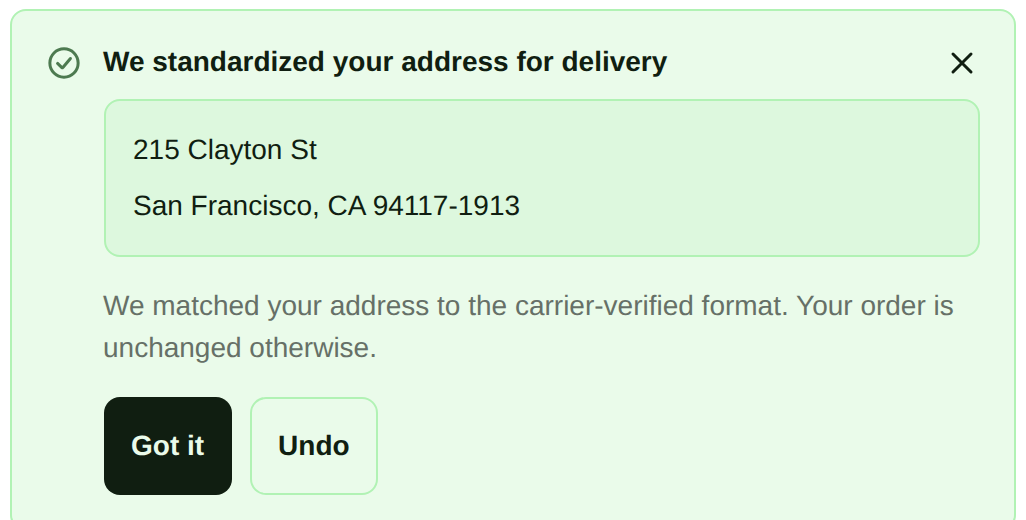
When the only differences are standardization (Street to St, a ZIP+4 added), we apply the carrier-verified format to the order automatically and tell the buyer: “We standardized your address for delivery.” One tap on Undo puts back exactly what they typed, no questions asked.
On the Free plan: block at checkout, or warn after purchase
Free runs your rules without carrier verification, so there’s never a suggested fix to apply. What the buyer sees comes down to how you set each rule, Off, Warn, or Block.
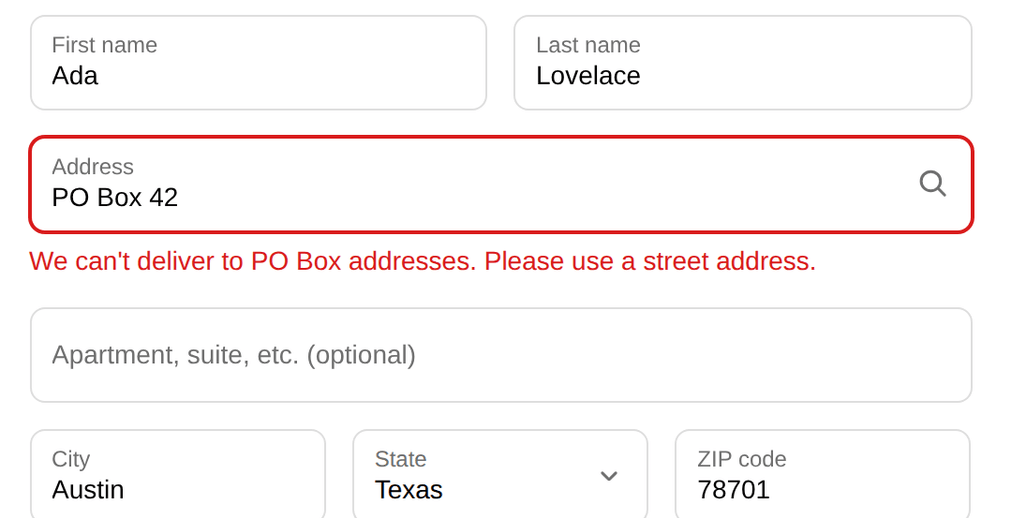
A rule set to Block stops the address in checkout, before the order is placed. The buyer can’t pay until they fix it. A PO Box, for example, is turned away with your message pinned right to the address field:
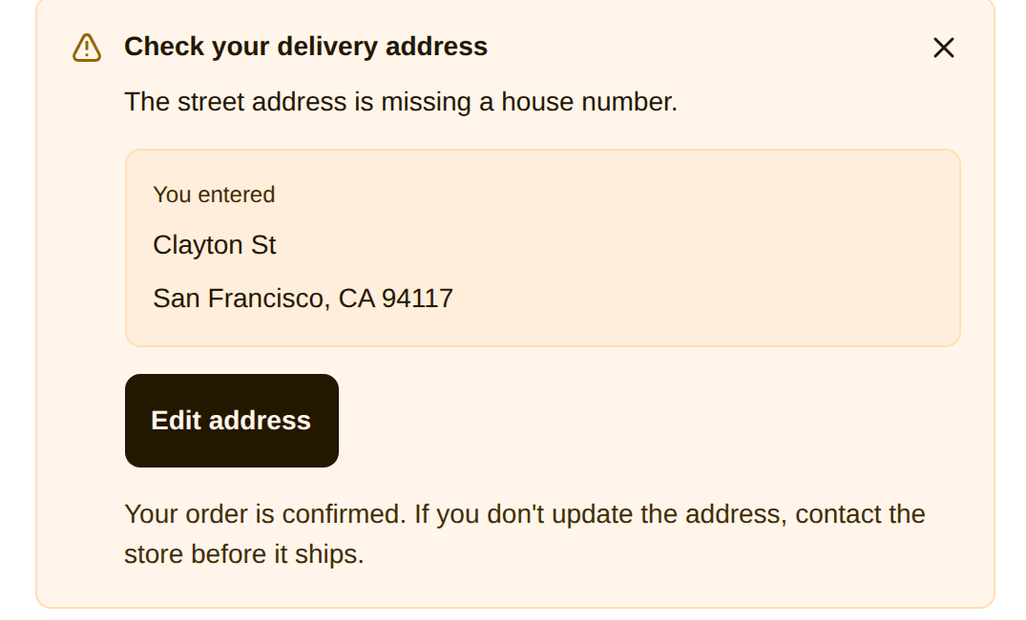
A rule set to Warn lets the sale finish, then shows the same “Check your delivery address” card on the thank-you page, just without a suggested address. The buyer can edit it on the spot or keep what they entered, and the order is tagged either way:
Block at checkout works the same on Pro. What Pro adds is the carrier verification behind every state above: the suggested fix, the unit prompt, the automatic standardization. Free flags the problem; Pro flags it and proposes the answer.
The order status page: the second chance
Buyers tend to close the thank-you page, and that’s fine: the same prompt waits on the order status page, the page they return to from the confirmation email. Once a buyer resolves the prompt anywhere (accepts, edits, or keeps their address), no surface ever asks again.
What this means for you
You don’t need to watch any of this happen. Orders that needed attention carry the address-unverified or address-corrected tag in your Shopify admin, so a saved order filter shows you exactly which ones to look at before they ship.